Hengband — voxel 3D renderer

変愚蛮怒HD

ローグライク『変愚蛮怒』をボクセルの立体で描く非公式のフロントエンドです。 地形はボクセル、キャラクタはビルボード。ゲーム本体はそのままです。

Windows 版をダウンロード Linux 版をダウンロード Android 版をダウンロード GitHub のリリース / Windows は ZIP・Linux は tar.gz(x86_64)・Android は APK

Hengband — voxel 3D renderer

Hengband HD

An unofficial front end that draws the roguelike Hengband in voxel 3D. Voxel terrain, billboard characters. The game itself is untouched.

Download for Windows Download for Linux Download for Android GitHub Releases / Windows: ZIP · Linux: tar.gz (x86_64) · Android: APK

実機のキャプチャ

画面

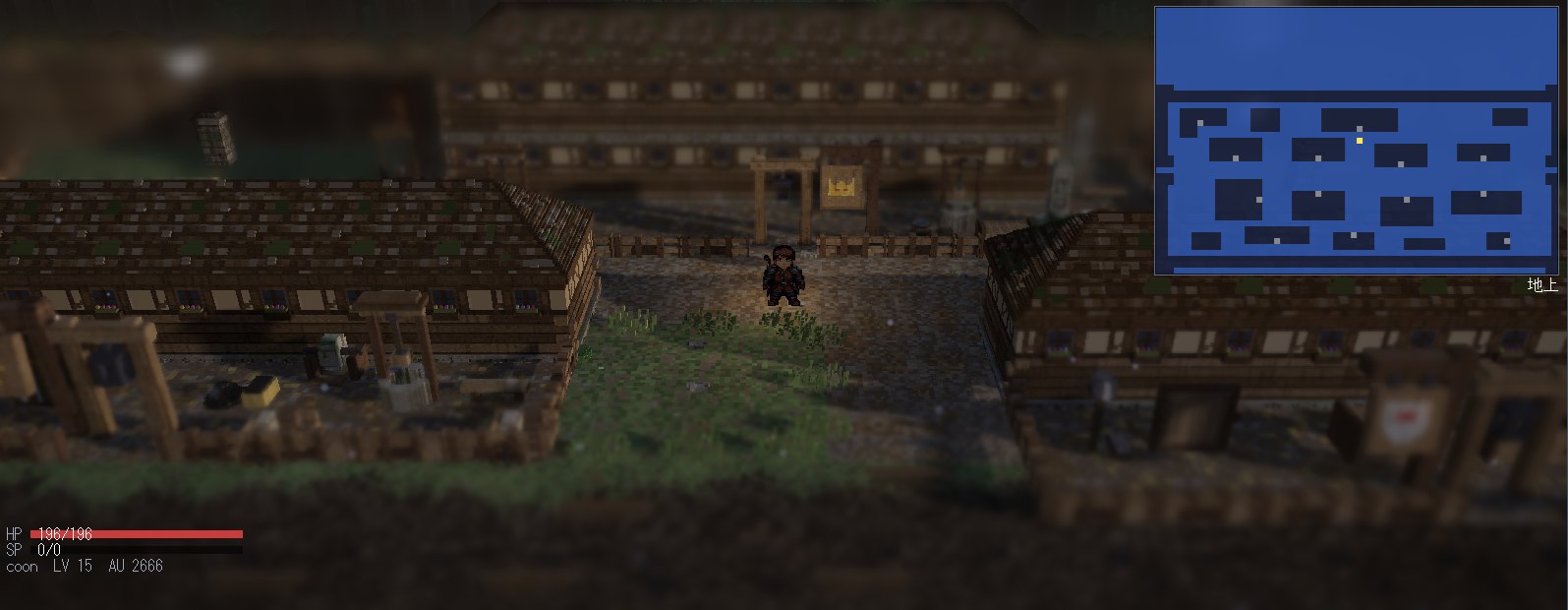
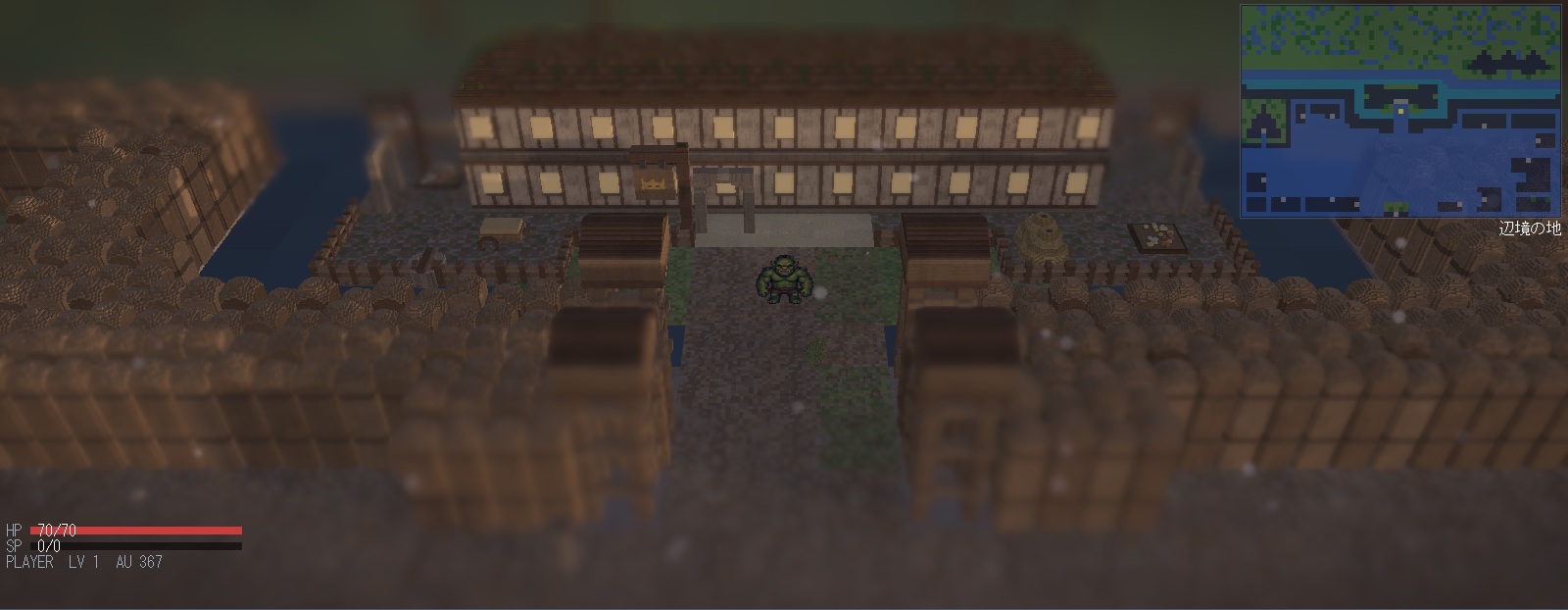
辺境の地の町。畑と柵に囲まれた家並みの中にプレイヤーが立っている
辺境の地
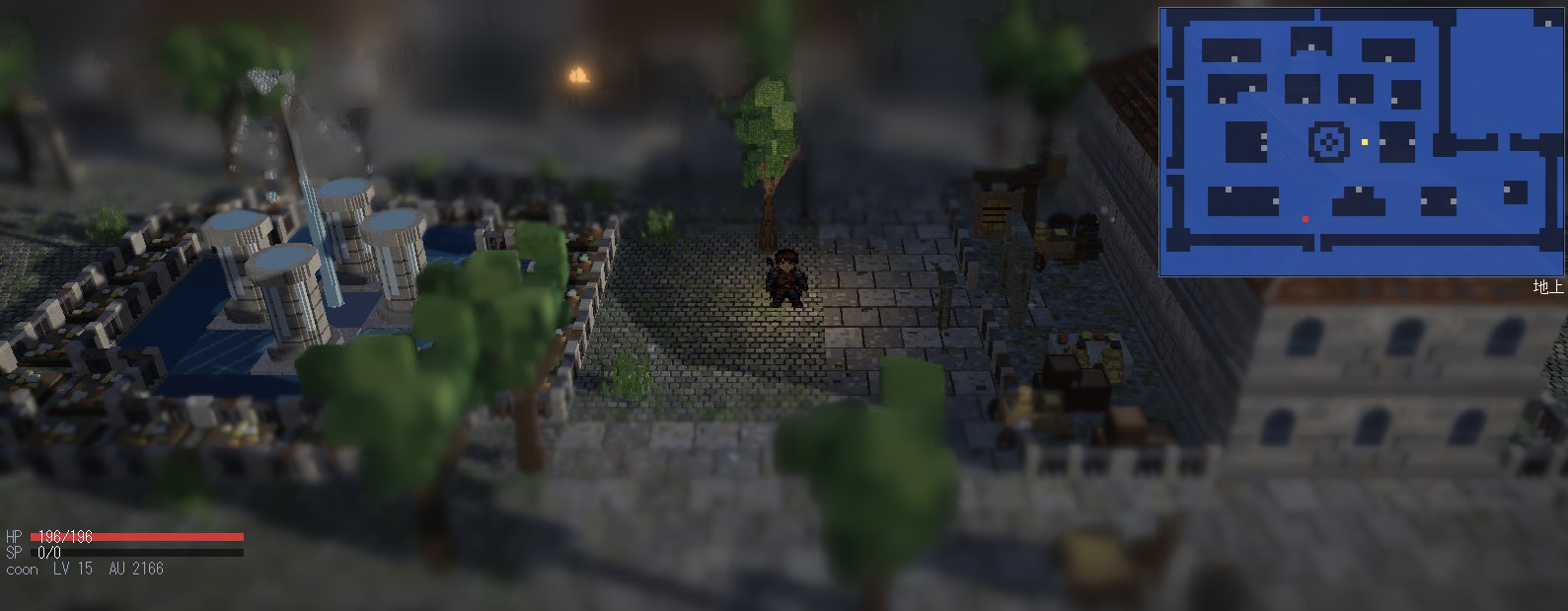
モリバントの噴水広場。石畳と木立の中で水柱が上がっている
モリバント
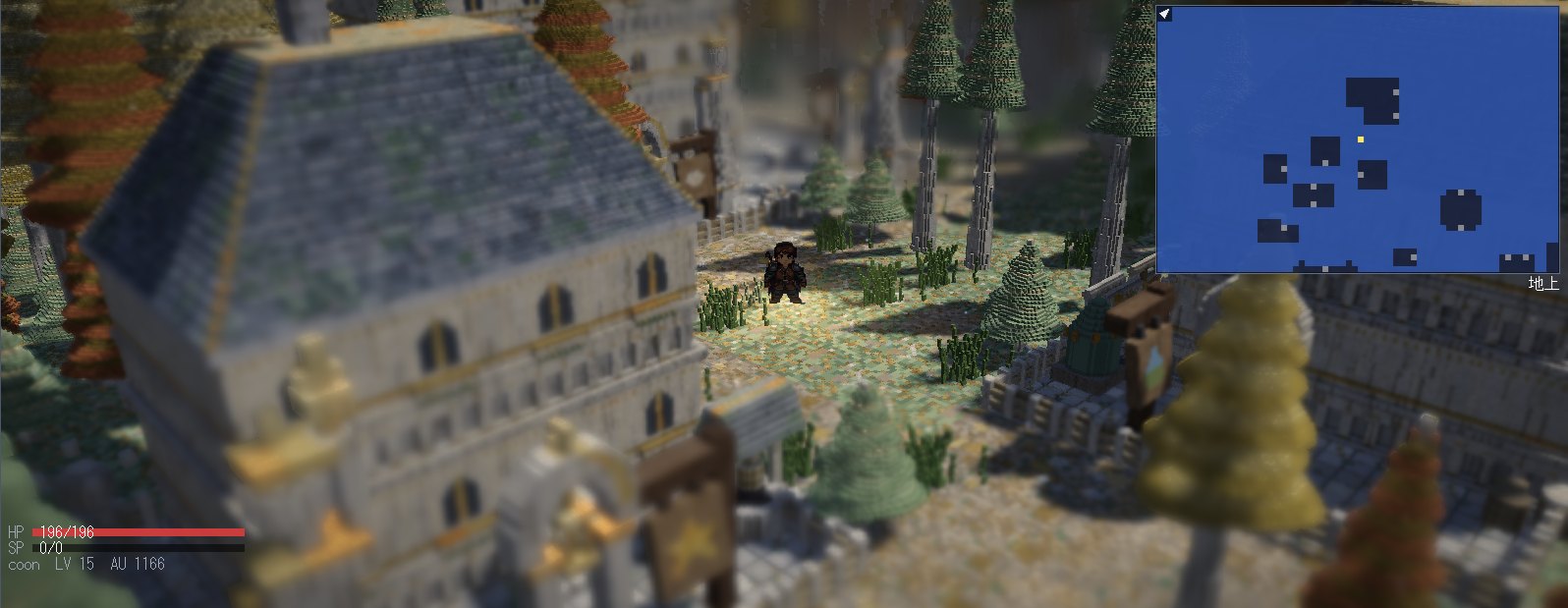
町を斜め 45 度から見下ろしたところ。石造りの建物と針葉樹が斜めに並ぶ
45 度回転
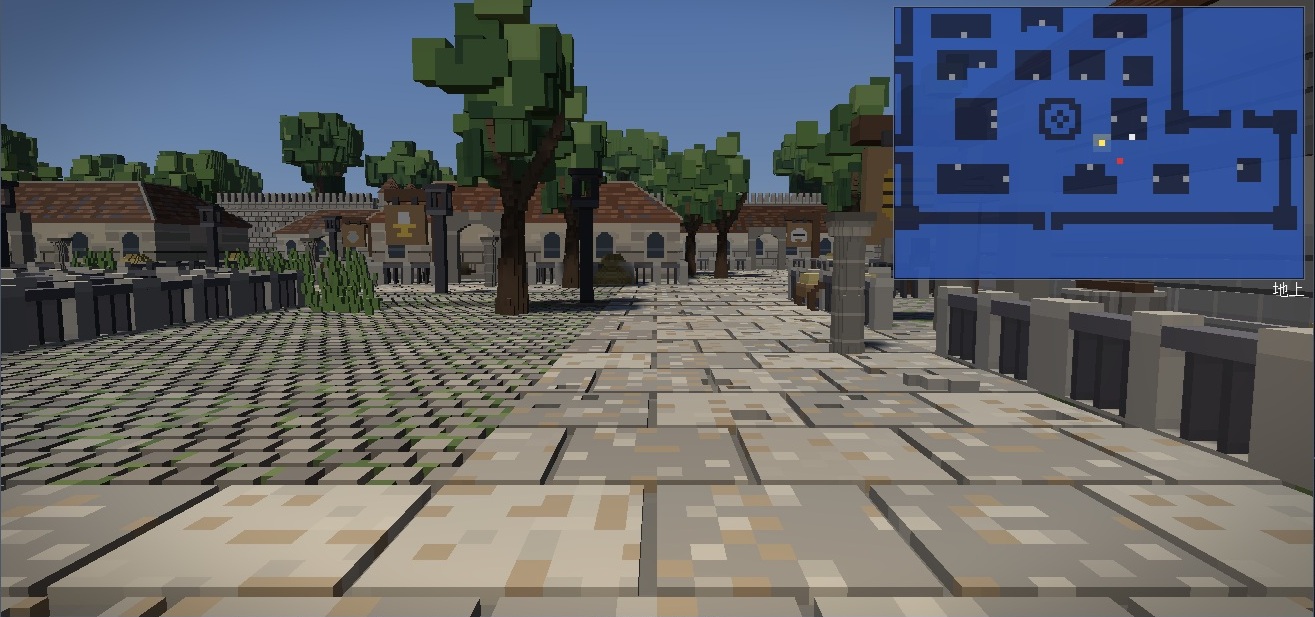
モリバントを一人称視点で見たところ。石畳の通りの先に瓦屋根の家並みと城壁が見える
モリバント(一人称)
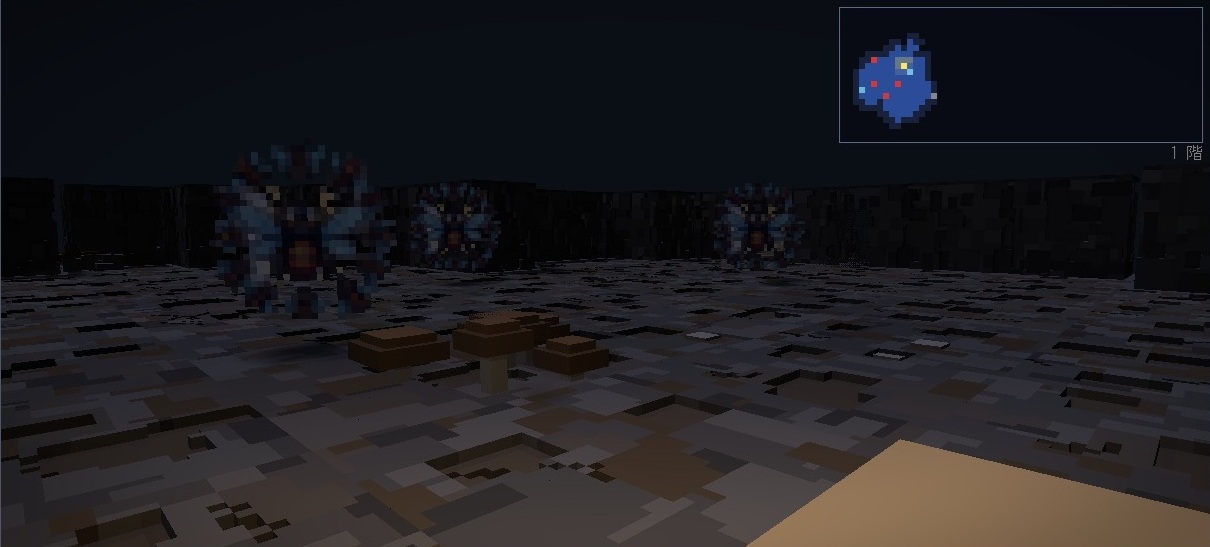
イークの洞穴を一人称視点で見たところ。灯りの届く先に 3 体のモンスターが並んでいる
イークの洞穴(一人称)
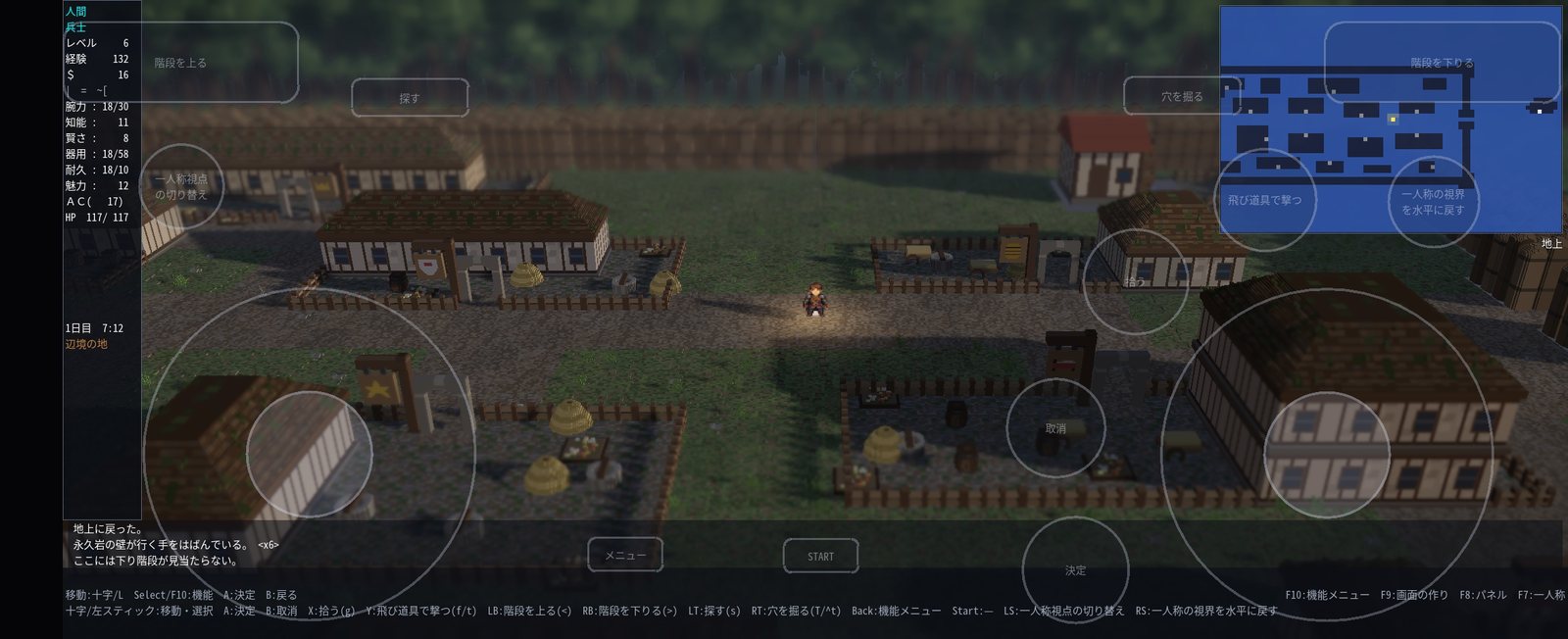
Android 版を横持ちで遊んでいるところ。画面の上にバーチャルパッドが重なっている
Android 版(横持ち)
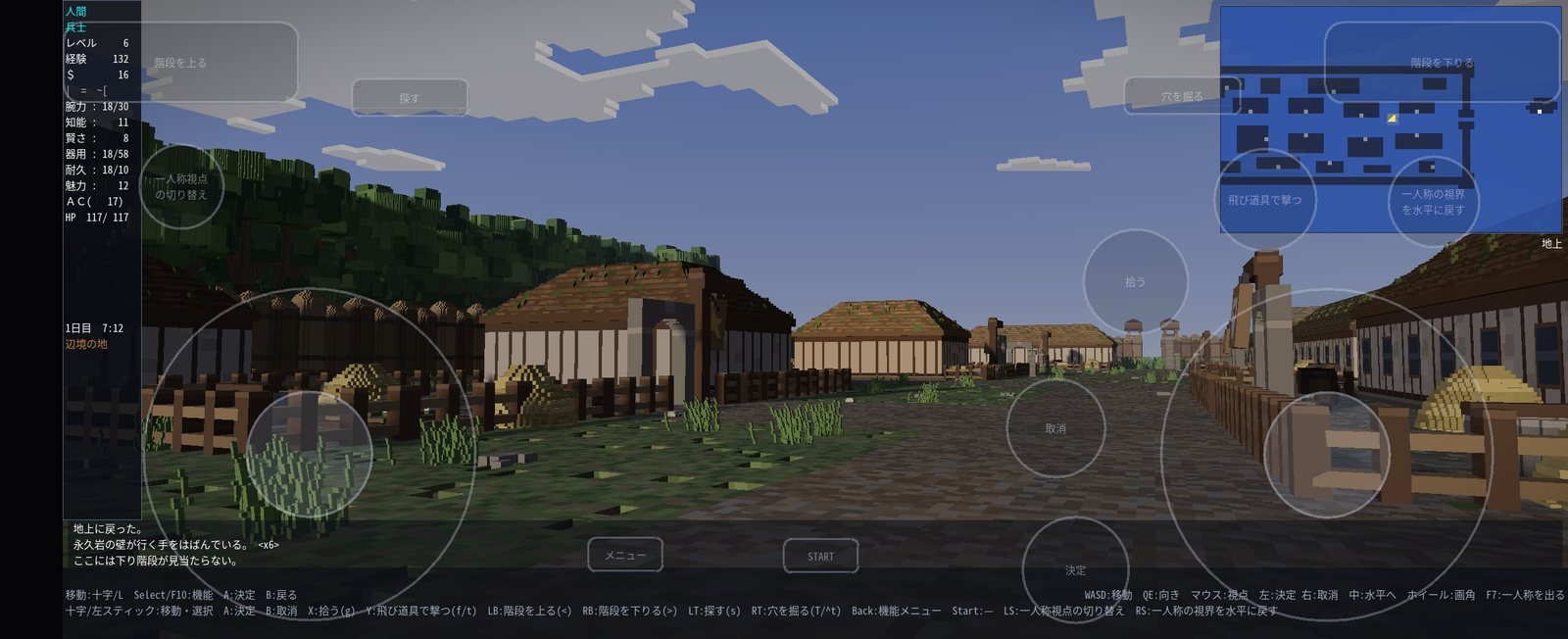
Android 版の一人称視点。青空に雲が浮かび、通りの先に家並みが続く
Android 版(一人称)
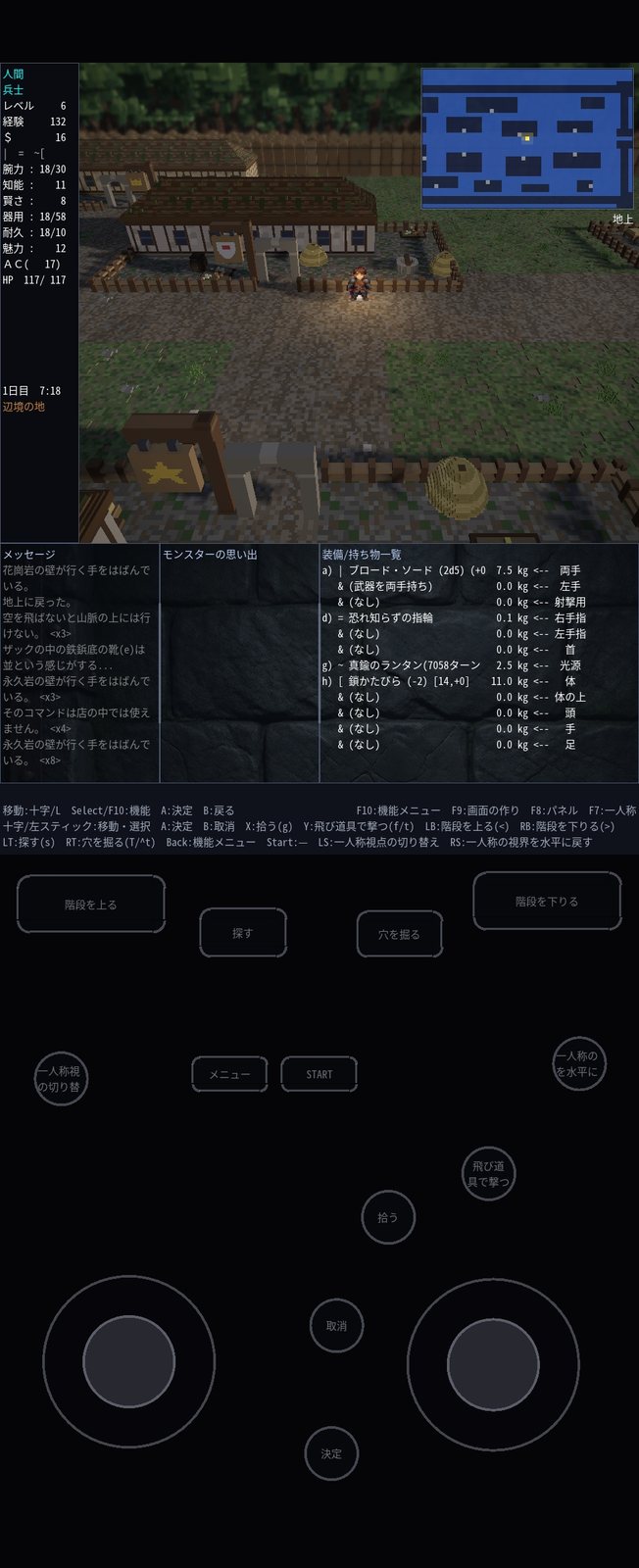
Android 版を縦持ちで遊んでいるところ。上に画面、下にバーチャルパッドが並ぶ
Android 版(縦持ち)
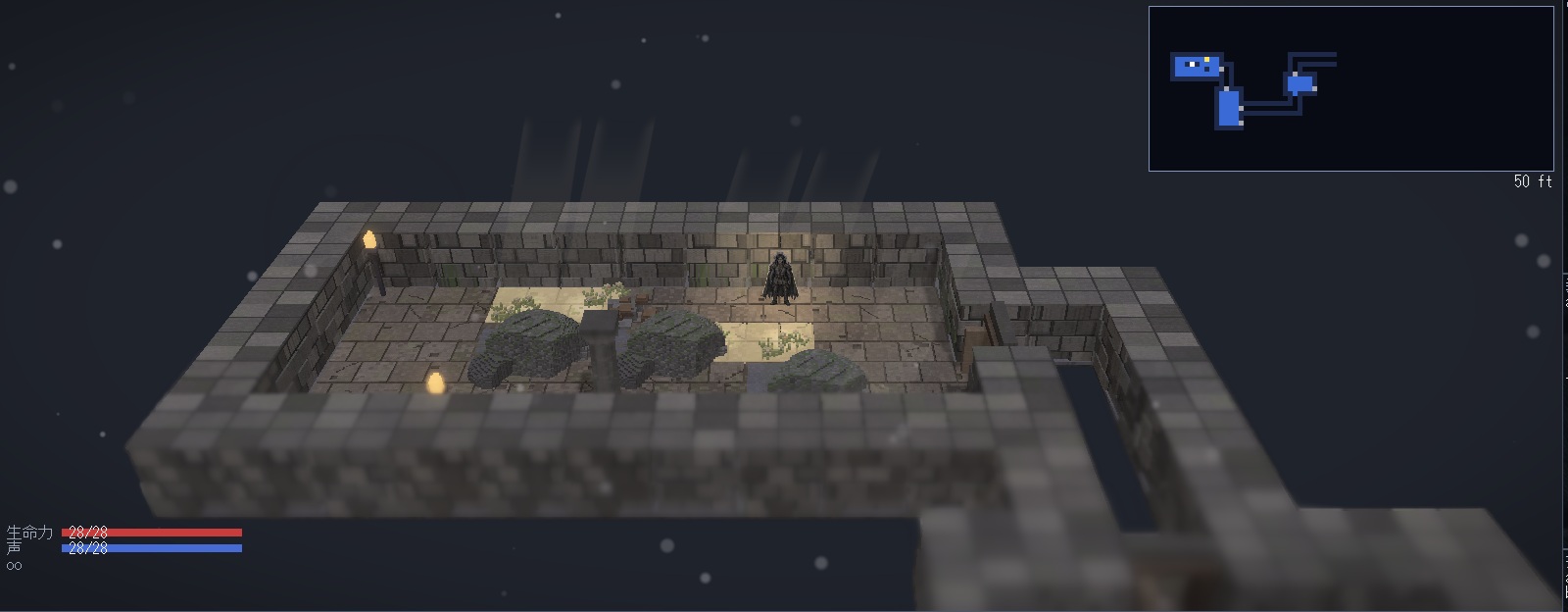
Sil-Q のコア。星空の下、石積みの部屋に灯りとキノコが並ぶ
Sil-Q
FroxComposband のコア。堀に囲まれた町で、灯りのともった長屋の前に立っている
FroxComposband
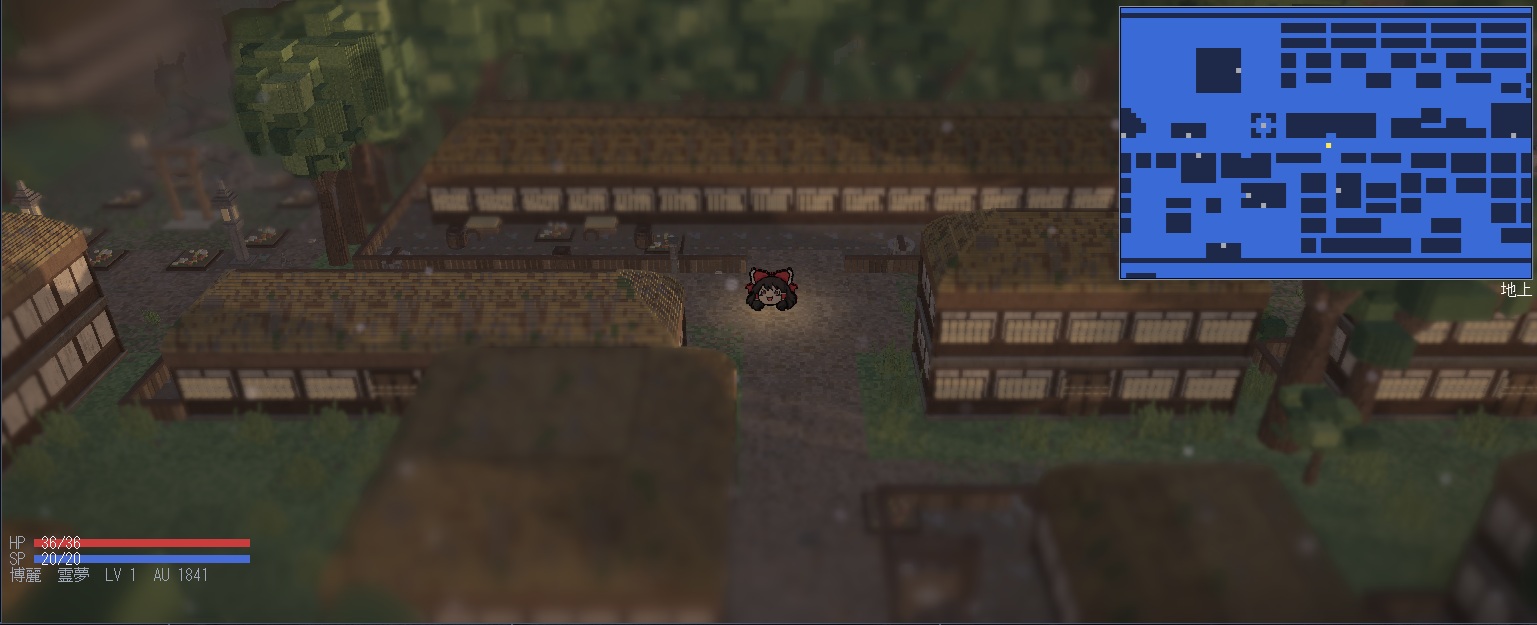
幻想蛮怒のコア。鳥居と瓦屋根の並ぶ里の辻に立っている
幻想蛮怒
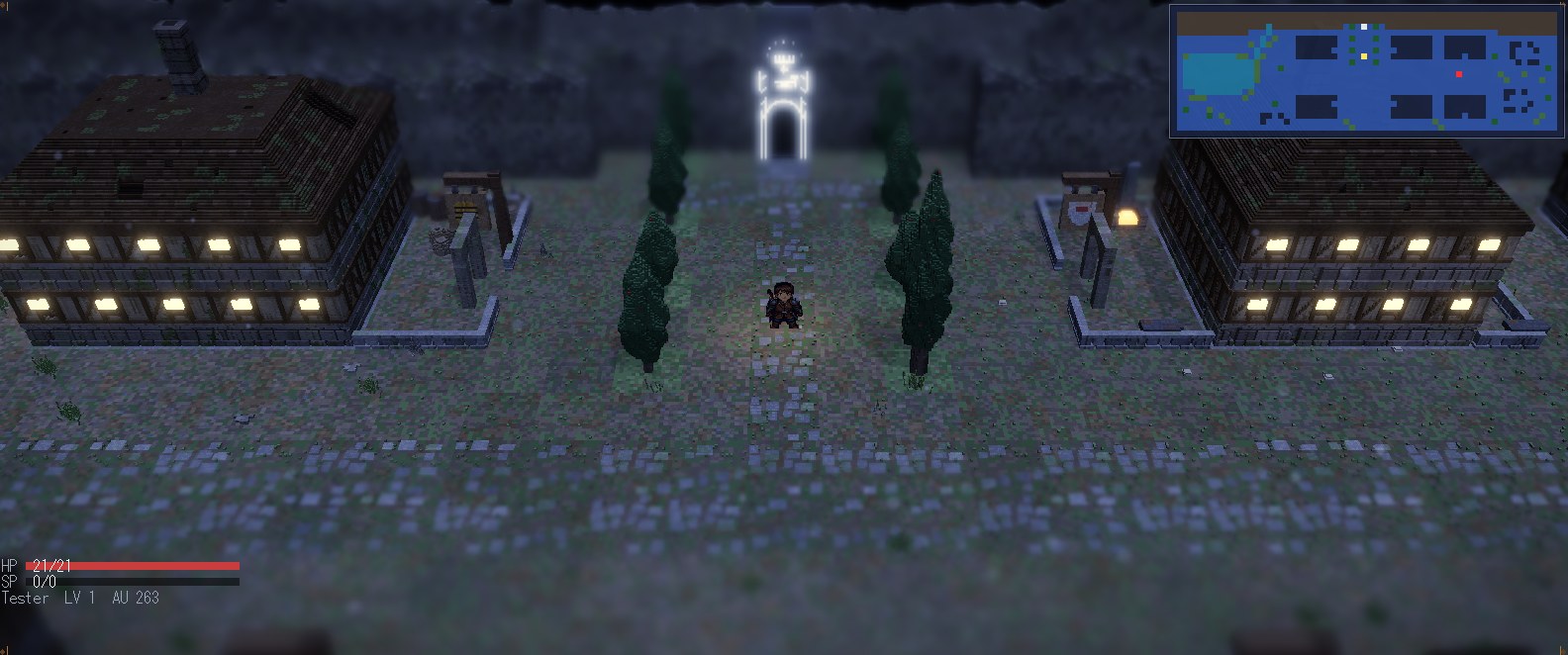
Umoria のコア。光るモリアの門へ続く並木道の両側に、灯りのともった石造りの店が並ぶ夜の町
Umoria
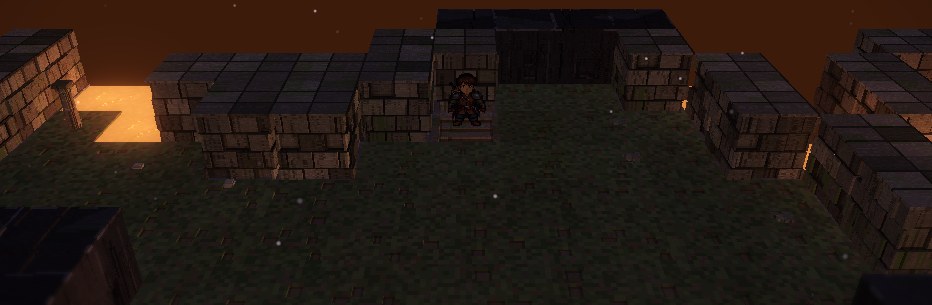
Angband のコア。夕焼けの空の下、石積みの壁に囲まれた町の広場で、下り階段の前に立っている
Angband
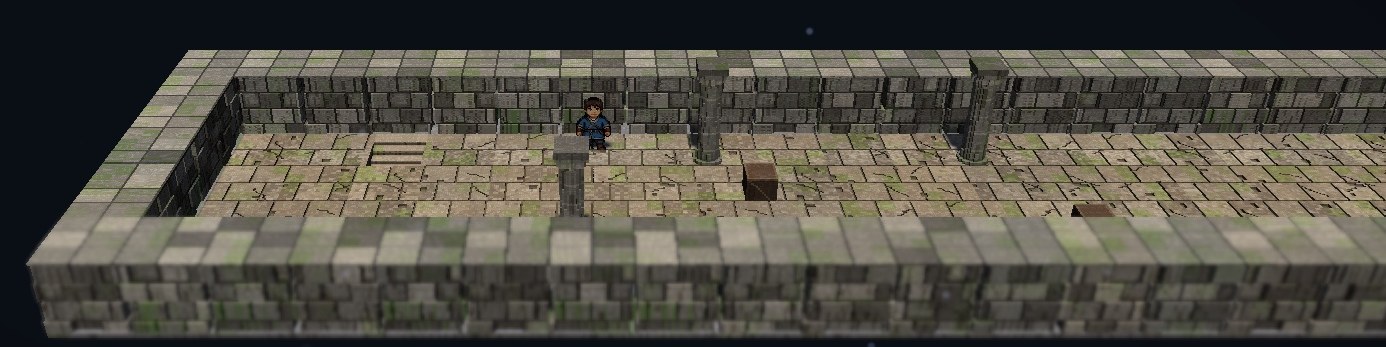
Rogue のコア。苔むした石の壁と柱に囲まれた細長い部屋に、下り階段と箱が置かれている
Rogue
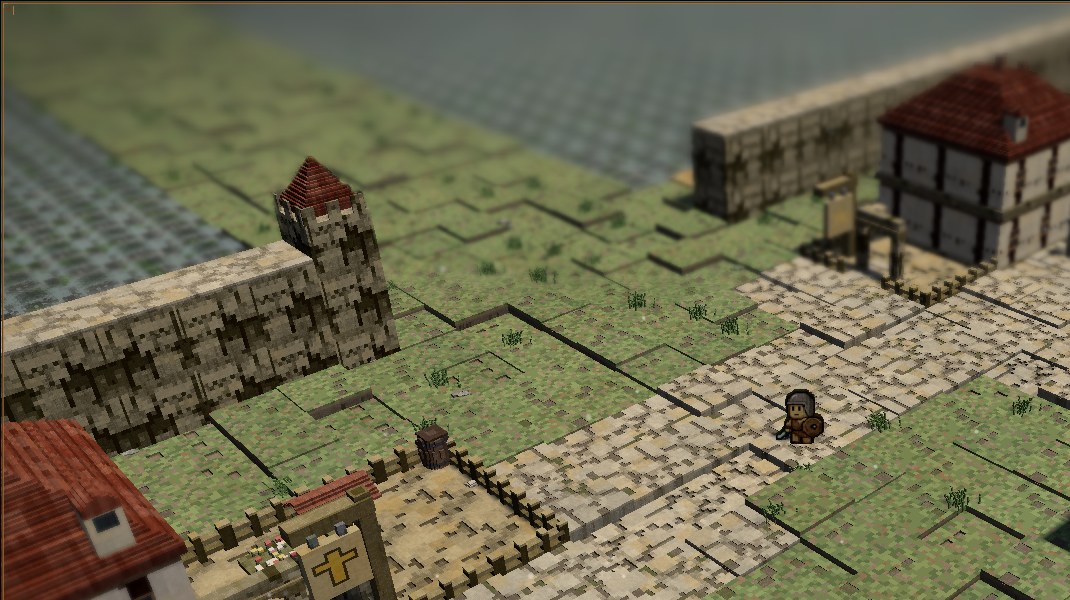
TOband のコア。港町ゴリアテの、城壁と塔・赤い屋根の家・石畳の道に立っている
TOband
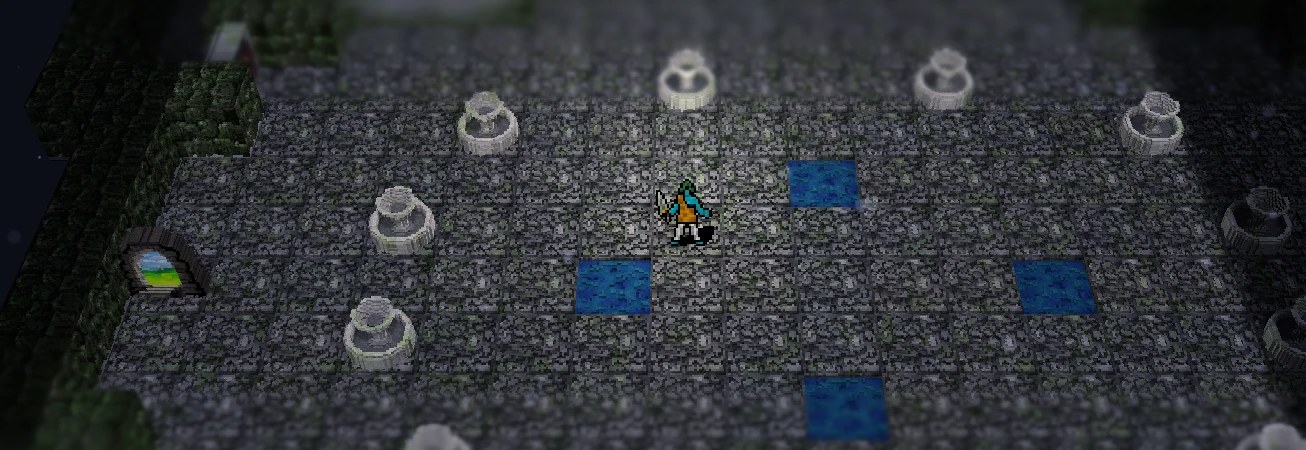
Dungeon Crawl Stone Soup のコア。噴水が並び、水のたまった石畳の部屋に立っている
Dungeon Crawl Stone Soup

お知らせ

更新

2026-10-25

  • Dungeon Crawl Stone Soup 日本語版を ja5 に更新
  • バグ修正

2026-10-23

  • Dungeon Crawl Stone Soup 日本語版のコアを追加
  • TOband の英語表示を修正
  • バグ修正

2026-10-21

  • TOband の英語表示に対応
過去の更新

2026-10-19

  • TOband のゲームコアを追加(日本語)
  • TOband の天候の表示を追加
  • コア選択の画面の並びを更新
  • 配布物にライセンスの文書を追加
  • UI を更新
  • バグ修正

2026-10-15

  • 魔法・ブレス・矢・投擲のエフェクト追加
  • HP/MP の玉・状態アイコン・光の届く範囲の表示を全ゲームコアに追加
  • Rogue 3.6・Rogue 5.4・RogueClone2 の英語表示に対応
  • Shift+矢印で走る操作を追加
  • 斜め移動限定キーを追加(キーコンフィグで割り当て)
  • Sil-Q・FroxComposband で日本語の名前に対応
  • ゲームパッドの既定の割り当てを更新
  • UI を更新
  • バグ修正

2026-10-07

  • 原作が持つキー配置(標準・ローグライク)を、すべてのゲームコアで使えるようにしました(Sil-Q の 4 つの配置と Umoria のローグライクの配置を含みます。キー配置を切り替えても、ゲームパッドとキーの割り当てはそのまま働きます)
  • FroxComposband で、レベルが上がって能力値を上げる画面に入る所で操作を受け付けなくなることがある不具合を修正
  • Android 版で、セーブして終了したあと開き直すと起動できない不具合を修正
  • コマンドメニューで見出しのタブを押すと、途中のタブの操作が走る不具合を修正
  • FroxComposband・幻想蛮怒・Sil-Q で、確認の選択肢や案内が日本語でも英語のまま出る所を修正
  • 日本語の名前のフォルダに置いたときの Rogue 3.6 / 5.4・Umoria・Angband・Sil-Q の不具合を修正
  • そのほかの細かな不具合を修正(詳しくは GitHub のリリースノート)

2026-10-06

  • 名前を「変愚蛮怒HD」に改めました(ダウンロードするファイルの名前も HengbandHD-win.zip などに変わりました。設定とセーブはそのまま引き継げます)
  • コアを選ぶ画面の変愚蛮怒のバナーを、公式のロゴに替えました(ロゴ制作: ササヒト)
  • Umoria を実装(日本語化済)
  • 変愚蛮怒を 3.0.2.5-Beta に更新
  • Windows 版を日本語の名前のフォルダに置くと、一部のコアを選んだ直後に止まる不具合を修正
  • 新UIで、幻想蛮怒と FroxComposband の魔法書から呪文を覚えられない不具合を修正
  • 変愚蛮怒と FroxComposband の熟練度の表示を修正

2026-09-30

  • Angbandを実装
  • Rogue3.6を実装
  • Rogue5.4を実装
  • RogueClone2を実装

2026-09-20

  • 新UIバグ修正
  • 平面モード追加(機能メニュー→絵作り→タイルの向き)により擬似的に平面モードの実装

2026-09-14

  • 新UIの不具合修正

2026-09-11

  • 新UIを追加
  • Linux版を追加
  • 09-06版の起動不具合修正

2026-09-06

  • 変愚蛮怒・短愚蛮怒・FroxComposband の町のディテールを追加
  • 斜めの角度を追加

2026-09-02

  • Sil-Q と Frox の日本語スポイラーを作成
  • Frox の未翻訳箇所を修正

2026-09-01

  • Sil-Q のゲームコアを導入(日本語化済)
  • FroxComposband のゲームコアを導入(日本語化済)
  • 幻想蛮怒のゲームコアを導入(英語化済)

2026-08-18

  • 短愚蛮怒のゲームコアを導入

2026-08-16

  • 日本語・英語の切り替えに対応
  • タイルを 64px に更新
  • VR モードのバグ修正

2026-08-15

  • VR モードを仮実装

2026-08-14

バグ修正

  • 日本語入力が出来ない
  • マクロ定義が出来ない
  • 色指定が出来ない

機能追加

  • コントローラーの LB・RB と ABXY の同時押しに対応

2026-08-13

  • リアルタイムモードを実装

2026-08-12

  • Android 版をリリース — Android 13 以降
  • Android 版が縦持ちに対応
  • FPS モードに雲を実装
  • バグ修正

2026-08-11

  • FPS モード(一人称視点)を実装 — F7 で見下ろしと切り替え
  • キーコンフィグを修正
  • その他バグ修正

Windows / Linux / Android

動かし方

対応環境Windows 10 / 11(OpenGL 4.6 対応が必要です)/ Android 13 以降(arm64)/ Linux x86_64(glibc 2.43 以降。Ubuntu 26.04 で確認)
WindowsZIP を任意のフォルダへ展開し、その中の HengbandHd2d.exe を実行します。必ずそのフォルダを作業ディレクトリにして起動してください(assets/ と lib/ を相対で読みます)。
AndroidAPK を端末に入れて開きます。ストアの外からの配布なので、提供元不明のアプリのインストールを許可する必要があります。
Linuxtar.gz を展開し、その中の HengbandHd2d.sh を実行します。Ubuntu 24.04 以前ではそのまま起動できません。
VR モードVirtual Desktop から実行します。
ゲームパッドXInput 対応。Xbox コントローラなどを繋ぐと十字キーで移動、A で決定、B で戻る、Select で機能メニューが開きます。
実行中のキーF10 = 機能メニュー / F9 = 画面の作り / F8 = サブパネル / F7 = 一人称の出入り / Alt + Enter = 全画面と窓の切り替え

最初にブロックを解除する(Windows 版)

ダウンロードした ZIP を展開しただけでは、Windows が「他のコンピューターから取得したファイル」と見なして実行を止めることがあります。

展開する前に、ダウンロードした HengbandHD-win.zip を右クリックして「プロパティ」を開き、全般タブのいちばん下にあるセキュリティの「許可する」にチェックを入れて OK を押してから展開してください。中のファイル(HengbandHd2d.exe と、cores フォルダの中のコア 12 本)がまとめて解除されます。

すでに展開してしまった場合は、上の手順のあとで展開し直すか、展開したフォルダで PowerShell を開いて Get-ChildItem -Recurse | Unblock-File を実行してください。
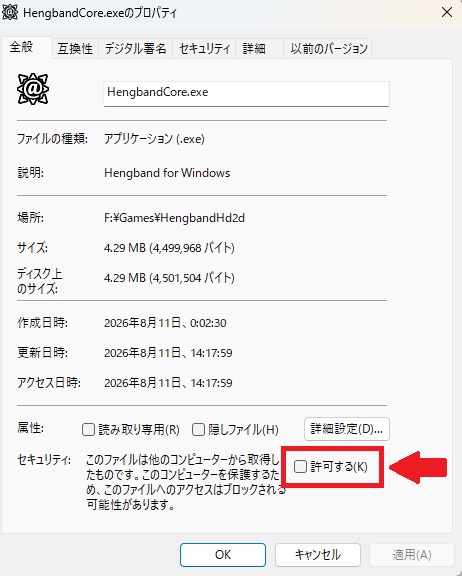
ファイルのプロパティ画面。全般タブの下にあるセキュリティ欄の「許可する」チェックボックスが赤枠で示されている

Captured in game

Screens

The town of Outpost. The player stands among houses ringed by fields and fences
Outpost
The fountain square in Morivant. Water rises among paving stones and trees
Morivant
A town seen from 45 degrees off the axis, its stone buildings and conifers set at an angle
Rotated 45°
Morivant seen in first person. Tiled roofs and a city wall stand beyond a paved street
Morivant (first person)
Yeek Cave seen in first person. Three monsters stand at the edge of the light
Yeek Cave (first person)
The Android build held in landscape, with the virtual pad laid over the view
Android (landscape)
First person on Android. Clouds drift in a blue sky above a street of houses
Android (first person)
The Android build held in portrait, the view above and the virtual pad below
Android (portrait)
The Sil-Q core. Under a starry sky, lights and mushrooms fill a room of stacked stone
Sil-Q
The FroxComposband core. A moated town, standing before a lit row house
FroxComposband
The Gensoband core. A crossroads in a village of torii gates and tiled roofs
Gensoband
The Umoria core. A night town where lit stone shops line an avenue of trees leading to the glowing gate of Moria
Umoria
The Angband core. Under an evening sky, standing by the down staircase in a town square walled with stone
Angband
The Rogue core. A long room of mossy stone walls and pillars, with a down staircase and chests
Rogue
The TOband core. Standing on the cobbled road of the port town of Goliath, by its walls, tower and red-roofed houses
TOband
The Dungeon Crawl Stone Soup core. Standing in a flagstone room lined with fountains and pools of water
Dungeon Crawl Stone Soup

News

Updates

2026-10-25

  • Updated Dungeon Crawl Stone Soup (Japanese edition) to ja5
  • Bug fixes

2026-10-23

  • Added the Dungeon Crawl Stone Soup (Japanese edition) game core
  • Fixes to the TOband English display
  • Bug fixes

2026-10-21

  • English display for TOband
Earlier updates

2026-10-19

  • Added the TOband game core (Japanese)
  • Added the TOband weather display
  • Updated the core selection screen layout
  • Added license documents to the downloads
  • UI updates
  • Bug fixes

2026-10-15

  • Added effects for spells, breaths, arrows and thrown items
  • HP/MP orbs, status icons and light range shown in every game core
  • English display for Rogue 3.6, Rogue 5.4 and RogueClone2
  • Shift+arrow to run
  • Added a diagonal-only movement key (assign it in the key config)
  • Japanese character names in Sil-Q and FroxComposband
  • Updated default gamepad buttons
  • UI updates
  • Bug fixes

2026-10-07

  • Every game core now supports the key sets of its original game, original and roguelike (including the four Sil-Q key sets and Umoria’s roguelike keys; gamepad and key bindings keep working when you switch key sets)
  • Fixed FroxComposband sometimes no longer taking input as you entered the stat gain screen on level up
  • Fixed the Android version failing to start again after saving and quitting
  • Fixed a tab header click in the command menu running the tabs in between
  • Fixed confirmation choices and guides left in English in Japanese in FroxComposband, Gensoband and Sil-Q
  • Fixed Rogue 3.6 / 5.4, Umoria, Angband and Sil-Q problems in folders with Japanese names
  • Other small fixes (see the release notes on GitHub)

2026-10-06

  • Renamed to “Hengband HD” (the downloads are now HengbandHD-win.zip and so on; your settings and saves carry over)
  • The Hengband banner on the core selection screen now uses the official logo (logo design: Sasahito)
  • Added Umoria (Japanese translation)
  • Updated Hengband to 3.0.2.5-Beta
  • Fixed some cores stopping right after you picked them when the Windows version sits in a folder with a Japanese name
  • Fixed spells not being learnable from books in Gensoband and FroxComposband with the new UI
  • Fixed the proficiency display in Hengband and FroxComposband

2026-09-30

  • Added Angband
  • Added Rogue 3.6
  • Added Rogue 5.4
  • Added RogueClone2

2026-09-20

  • Fixed bugs in the new UI
  • Added a pseudo-flat mode via Feature Menu → Visuals → Tile facing

2026-09-11

  • Added a new UI
  • Added a Linux version
  • Fixed a startup issue in the September 6 release

2026-09-06

  • More town detail in Hengband, Tangband and FroxComposband
  • Added diagonal viewing angles

2026-09-02

  • Japanese spoilers for Sil-Q and Frox
  • Fixed untranslated text in Frox

2026-09-01

  • Added the Sil-Q game core (Japanese translation)
  • Added the FroxComposband game core (Japanese translation)
  • Added the Gensoband game core (English translation)

2026-08-18

  • Added the Tangband game core

2026-08-16

  • Japanese / English switching
  • Tiles updated to 64px
  • VR mode bug fixes

2026-08-15

  • Provisional VR mode

2026-08-14

Bug fixes

  • Japanese input did not work
  • Macros could not be defined
  • Colours could not be set

New

  • Controller: LB and RB together with ABXY

2026-08-13

  • Real-time mode

2026-08-12

  • Android release — Android 13 and later
  • Portrait orientation on Android
  • Clouds in first-person mode
  • Bug fixes

2026-08-11

  • First-person mode — F7 switches to and from the top-down view
  • Key config fixed
  • Other bug fixes

Windows / Linux / Android

Running it

RequirementsWindows 10 / 11 (OpenGL 4.6 required) / Android 13 or later (arm64) / Linux x86_64 (glibc 2.43 or later; tested on Ubuntu 26.04)
WindowsUnzip it anywhere and run HengbandHd2d.exe from inside that folder. Start it with that folder as the working directory — assets/ and lib/ are read relative to it.
AndroidPut the APK on your device and open it. It is distributed outside the store, so you need to allow installing apps from unknown sources.
LinuxExtract the tar.gz and run HengbandHd2d.sh inside it. It does not start as is on Ubuntu 24.04 or earlier.
VR modeRun it from Virtual Desktop.
GamepadXInput. Plug in an Xbox controller and the D-pad moves, A confirms, B goes back, and Select opens the function menu.
KeysF10 = function menu / F9 = layout / F8 = sub panels / F7 = enter and leave first person / Alt + Enter = fullscreen or window

Unblock the ZIP before extracting it (Windows)

Unzipping the download is not always enough. Windows may decide the files came from another computer and refuse to run them.

Before extracting, right-click the downloaded HengbandHD-win.zip, open Properties, tick Unblock at the bottom of the General tab, press OK, and then extract it. Everything inside (HengbandHd2d.exe and the twelve cores in the cores folder) is unblocked at once.

If you have already extracted it, either do the above and extract again, or open PowerShell in the extracted folder and run Get-ChildItem -Recurse | Unblock-File.

A file's Properties window, with the Unblock checkbox at the bottom of the General tab marked in red